L1 Exceptions
Per-sheet walkthrough — L1 Reconciliation Dashboard.
What the sheet shows
The 9am scan — did anything break overnight. UNION ALL across the 12 L1 invariant matviews, in three classes:
- balance / numeric (6) —
l2_drift,l2_ledger_drift,l2_overdraft,l2_limit_breach,l2_expected_eod_balance_breach,l2_balance_cadence_gap - chain / cardinality (4) —
l2_chain_parent_disagreement,l2_xor_group_violation,l2_fan_in_disagreement,l2_multi_xor_violation - time / stuck (2) —
l2_stuck_pending,l2_stuck_unbundled
Materialized into l2_l1_exceptions at refresh time, so each
visual reads one small precomputed table instead of re-running the 12-branch
UNION live. Date narrowing happens at the dataset SQL — the matview holds EVERY
day, the picker window (Date From / Date To) pushes down to the rows you asked
for (NOT a fixed latest-day pre-filter).
Magnitude — "how bad is it" — lands in one of two columns depending on the branch:
magnitude_amount(dollars) for the money branches:ABS(drift)for drift / ledger_drift / expected_eod_balance_breach,ABS(stored_balance)for overdraft (how far below zero),outbound_total - capfor limit_breach (overflow over the cap).magnitude_count(an integer) for the cardinality branches (chain / XOR / fan-in / multi-XOR).
Exactly one is non-NULL per row, so a sort-by-magnitude reads consistently across check kinds.
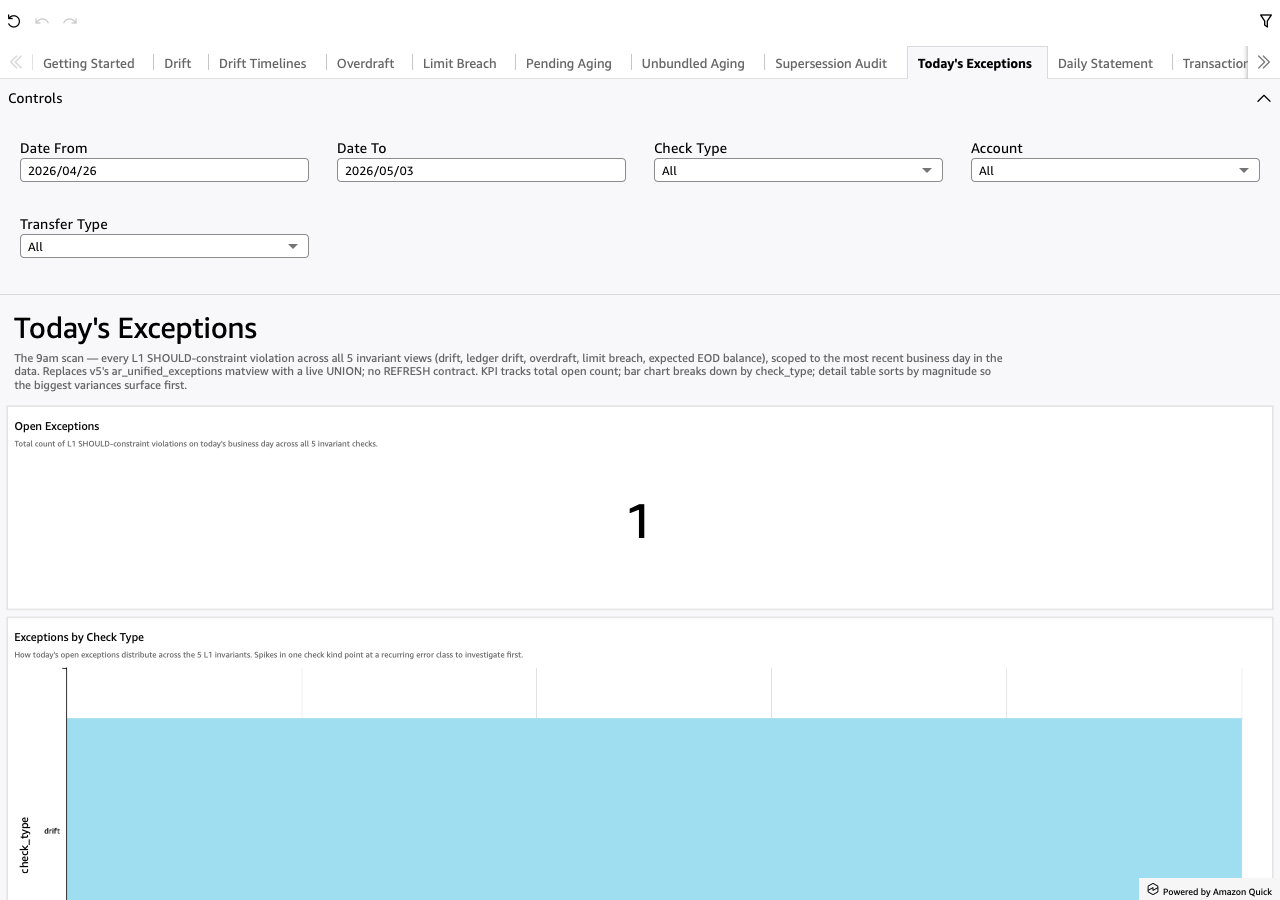
Screenshot
When to use it
First sheet to open every morning. The KPI answers the only 9am question — did anything break overnight. From there the bar chart shows the error-class shape, and the detail table sorts biggest-first so the loudest violations sit at the top.
Visuals
- Open Exceptions (KPI) — total count of L1 SHOULD-constraint violations in the picker's date window, across all 12 invariant checks. Wider window → larger count.
- Exceptions by Check Type (BarChart, horizontal) — count per check kind
across the 12 invariants. LOG-scale axis (one kind, typically
stuck_unbundled, otherwise swamps the rest at ~5000 vs near-zero). Spikes in one kind point at a recurring error class to investigate first. - Exception Detail (Table) — one row per violation, sorted by
magnitude_amountDESC so the biggest dollar variances are the top rows. Transfer-keyed checks carry amagnitude_countinstead and sort below.rail_nameis NULL on the branches that don't carry it;transfer_idis NULL on the money branches;account_parent_roleis NULL on branches that carry no parent — all three display blank. - Institution Context (TextBox) — footer with the L2 instance's top-level description. Mirrors the Getting Started welcome at the bottom of the unified-view landing page.
Drills
- Left-click the account → narrows the Drift sheet to that account
(
pL1DriftAccountparameter — the same pushdown the Drift sheet's Account dropdown uses). Per the CLAUDE.md drill-direction convention, a left-click moves you LEFT — back toward the per-invariant source of the violation. - Right-click → "View Daily Statement for this account-day" → opens Daily Statement filtered to the clicked account + business day for the per-leg walk. A right-click moves you RIGHT — deeper into the investigation.
Filters
- Date From / Date To — universal date-range pickers (scoped on
business_day). - Check Type — multi-select dropdown over the 12 check kinds.
- Account — multi-select dropdown over
account_id. - Transfer Type — multi-select dropdown over
rail_name.